Hey Black Mixture Fam! 👋🏾 We’re back with another 🔥 ComfyUI workflow, this time featuring the Flux UNO model, a powerful new method for reference-based image generation!
This new model is perfect for product mockups, consistent character design, outfits, and object-specific scenes! This workflow brings your ideas to life using an image reference as guidance without LoRAs to train or elaborate prompt tweaking. Just clean, guided generations based on your input image.
*** Works well for generating images to animate using Wan 2.1! Get the advanced Wan 2.1 image to video workflow here: https://www.patreon.com/posts/black-mixtures-1-124117186
Required Files & Installation
Place these files in the correct folders inside your ComfyUI directory:
🔹 UNO Custom Node
Clone directly into your custom_nodes folder:
📂 ComfyUI/custom_nodes/ComfyUI-UNO
Or manually download and unzip the ComfyUI-UNO.zip file linked at the bottom of this post.
🔹 UNO Lora File
Download uno_lora.safetensors from this post
or
🔗 https://huggingface.co/bytedance-research/UNO/tree/main
📂 Place in: ComfyUI/models/loras
🔹 Flux1-dev-fp8-e4m3fn.safetensors Diffusion Model
🔗 https://huggingface.co/Kijai/flux-fp8/tree/main
📂 Place in: ComfyUI/models/diffusion_models
🔹 VAE Model
🔗https://huggingface.co/black-forest-labs/FLUX.1-dev/blob/main/ae.safetensors
📂 Place in: ComfyUI/models/vae
IMPORTANT! Make sure to use the Flux1-dev-fp8-e4m3fn.safetensors model.
Generate highly accurate images using a reference
Perfect for product photography, mockups, clothing consistency
Great for stylized AND realistic image outputs
Side-by-side comparison output option included
Clean, minimal UI flow with optional addons
 Color-coded for clarity:
🟥 Load Image + Models
🟨 Prompt + Generation Settings
🟩 Review Generation Results
🟪 Important Notes
Update ComfyUI to the latest version
Install the ComfyUI-UNO node
Download and place the uno_lora.safetensors file
Load our Flux UNO workflow
Drag in a reference image + enter your prompt
Click generate and review results!
The reference image is used as a strong guidance — results are inspired by the image, not copied
Works especially well for fashion, objects, and logos
Pick Your Addons node gives a side-by-side comparison if you need it
Settings are optimized but feel free to adjust CFG and steps based on speed and results.
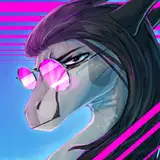
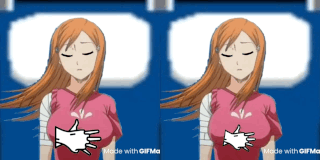
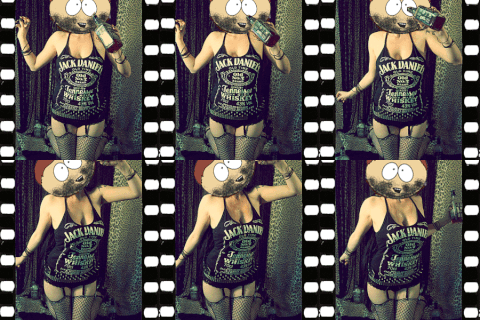
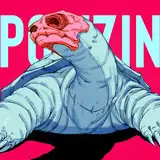
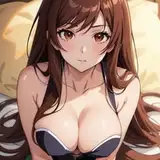
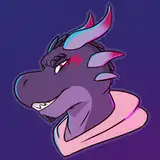
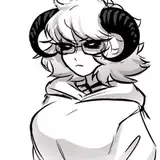
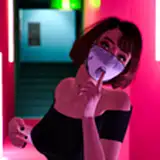
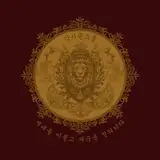
📸 We’ve included example generations in this post so you can see the magic in action!


Check out the video tutorial: https://youtu.be/eMZp6KVbn-8
Created by Nate Dwarika from The Black Mixture Team
💝 THANK YOU to all our amazing Patrons for supporting these releases!
Black Mixture
2025-05-08 03:28:21 +0000 UTCWyatt Holl
2025-05-07 22:53:03 +0000 UTCBlack Mixture
2025-05-04 05:52:38 +0000 UTCBen Kwok
2025-05-04 05:31:14 +0000 UTCBlack Mixture
2025-04-23 20:48:28 +0000 UTCloughlin john
2025-04-21 23:44:14 +0000 UTCZ 2
2025-04-18 09:50:41 +0000 UTC